Carousel vs Collection vs Catalog Ads on Meta: Which Format When
 Nikolett Lorincz8 min read
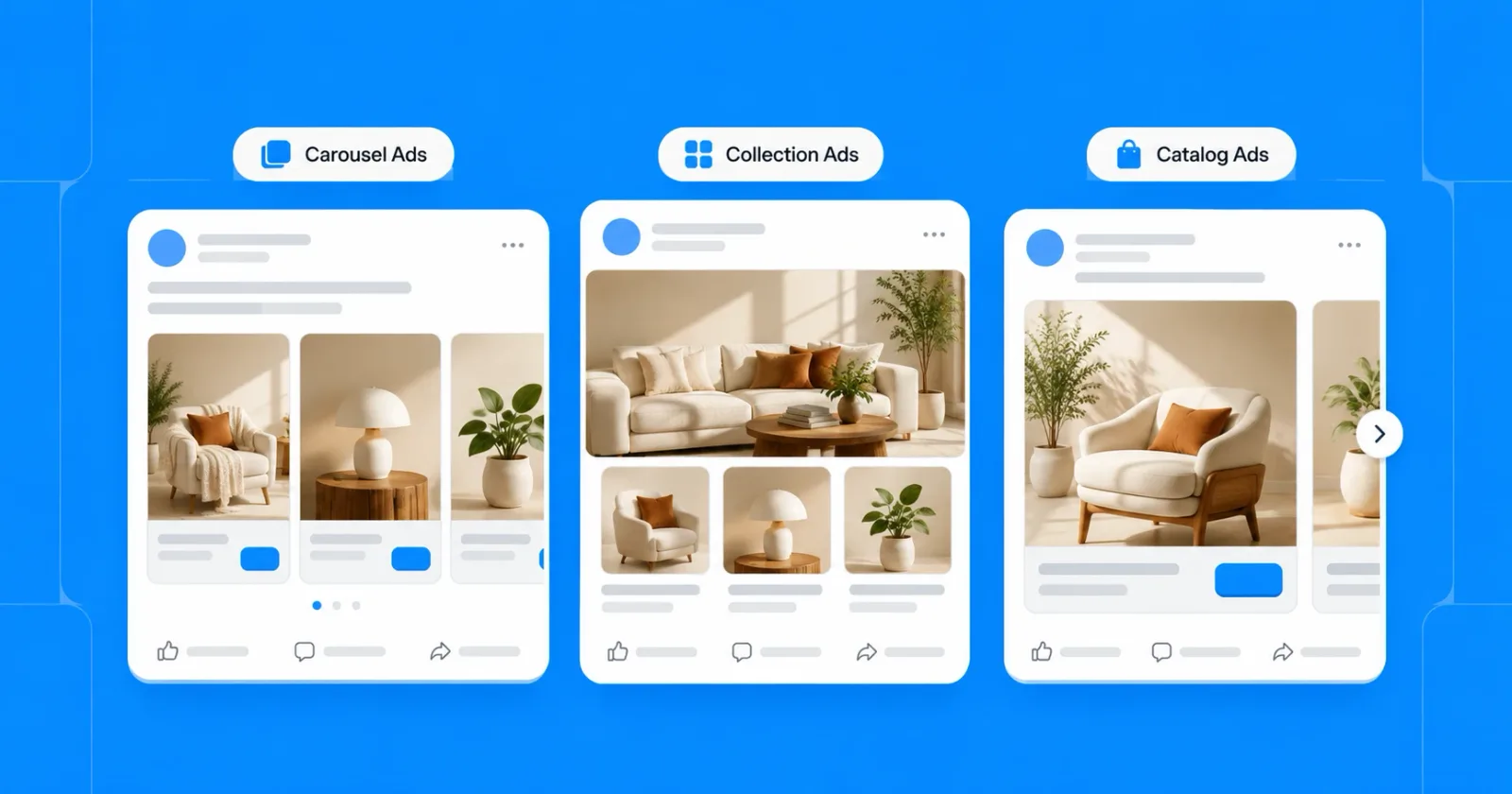
Carousel, collection or catalog ads? Most guides treat them as three formats to choose from, so you pick one and hope it fits. They aren't three of a kind: two describe how an ad looks, one describes where its products come from.
Pick for the wrong reason, and you end up hand-building cards Meta could fill from your catalog, or handing Meta an ad that needed a fixed order.
This guide shows what each format does, when to use which, and ends with a decision table for six common goals. First, the difference most comparisons miss.
Catalog ads are a source, not a layout
Most comparisons treat carousel, collection and catalog ads as three options to pick from. They aren't on the same level: carousel and collection describe how an ad looks, while catalog ads describe where its products come from.
A catalog ad is an ad Meta fills with products from your product catalog, choosing them for each person. That ad can show as a carousel, a collection or a single image.
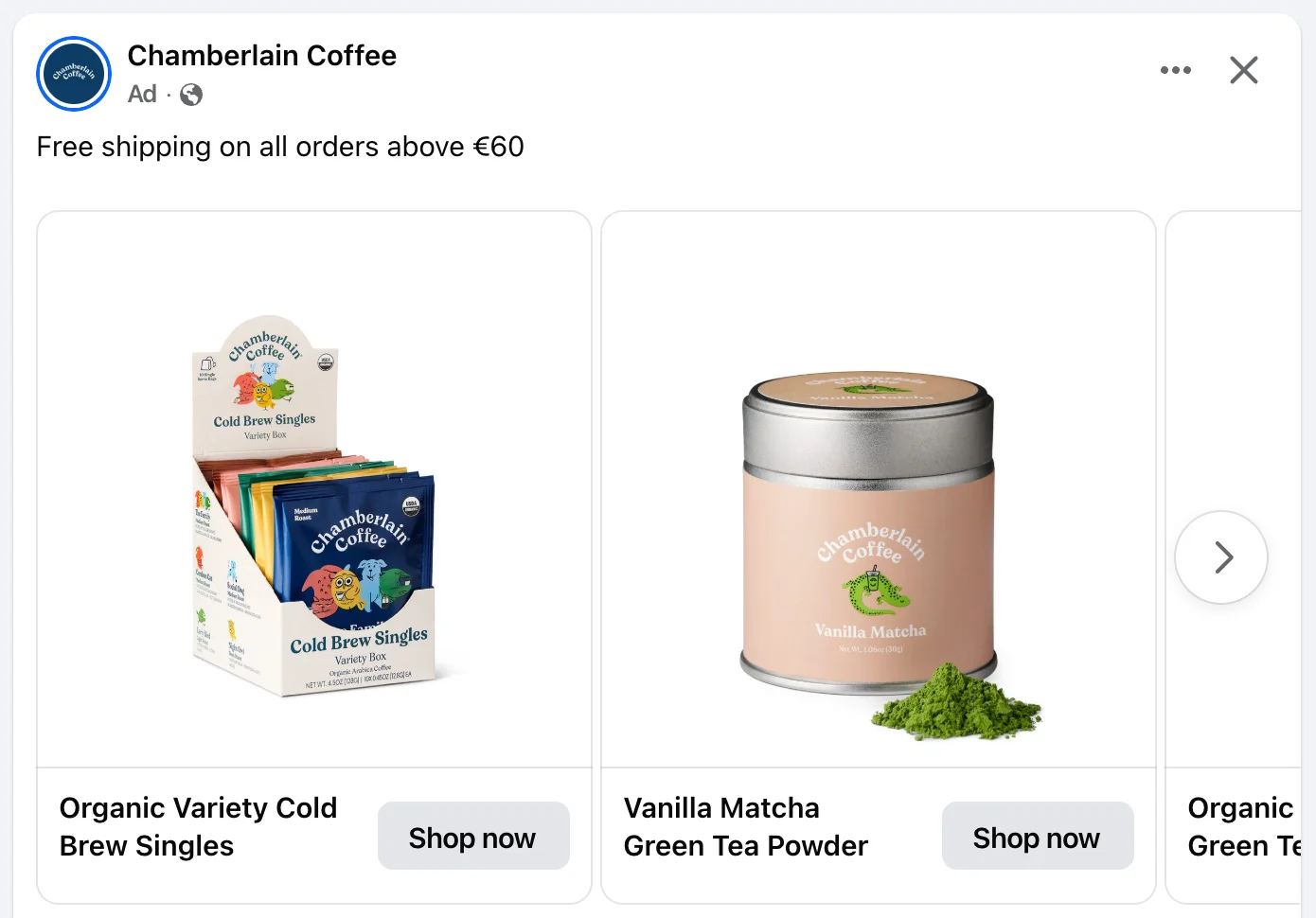
This Chamberlain Coffee ad is a catalog carousel: every card is a different product from the store's catalog, with its own photo, name and Shop now button.
Meta's own wording has moved the same way. Its catalog ads page now calls the format "Products from your catalog" and says the catalog works across all sales campaigns, not just one ad format. Our guide to Meta Advantage+ catalog ads explains what changed.
The three formats at a glance
| Single image | Carousel | Collection | |
|---|---|---|---|
| What people see | One image | 2 to 10 cards they swipe through | A main image or video with three product images below |
| Links | One | One per card | Opens a full-screen Instant Experience |
| Products per ad | One | Up to 10 | Many, inside the Instant Experience |
| Recommended shape | 4:5 in Facebook Feed; 9:16 in Stories | 1:1; 4:5 for image-only carousels on Instagram Feed | Cover from 1.91:1 to 1:1 |
| Video | Yes, as a video ad | Yes, per card | Yes, as the main media |
| Needs a catalog | No | No | Only for product sets and the Storefront template |
| Works with catalog ads | Yes | Yes | Yes |
| Best for | One product, one message | Several products or several views | Browsing on mobile |
Sources: Meta's ads guide for carousel ads in Facebook Feed and Instagram Feed, collection ads, image ads in Facebook Feed and Instagram Stories, and the collection ads developer documentation.
Meta carousel ads
A carousel shows up to 10 images or videos in one ad, each with its own link. It runs on Facebook, Instagram, Messenger and Audience Network.
The specs that matter, from Meta's ads guide:
- Cards: 2 to 10.
- Shape: 1:1, at least 1080 × 1080 pixels, for Facebook Feed.
- Text per card: Meta suggests a headline of 20 characters and a description of 18.
Meta can reorder the cards by how each one performs. If your cards tell a story in order, Meta's advice is to turn that optimization off.
Here is a manual carousel in the feed. Dyson's ad shows one product, the Airsmooth, across several cards, each with its own image and a Learn more button:
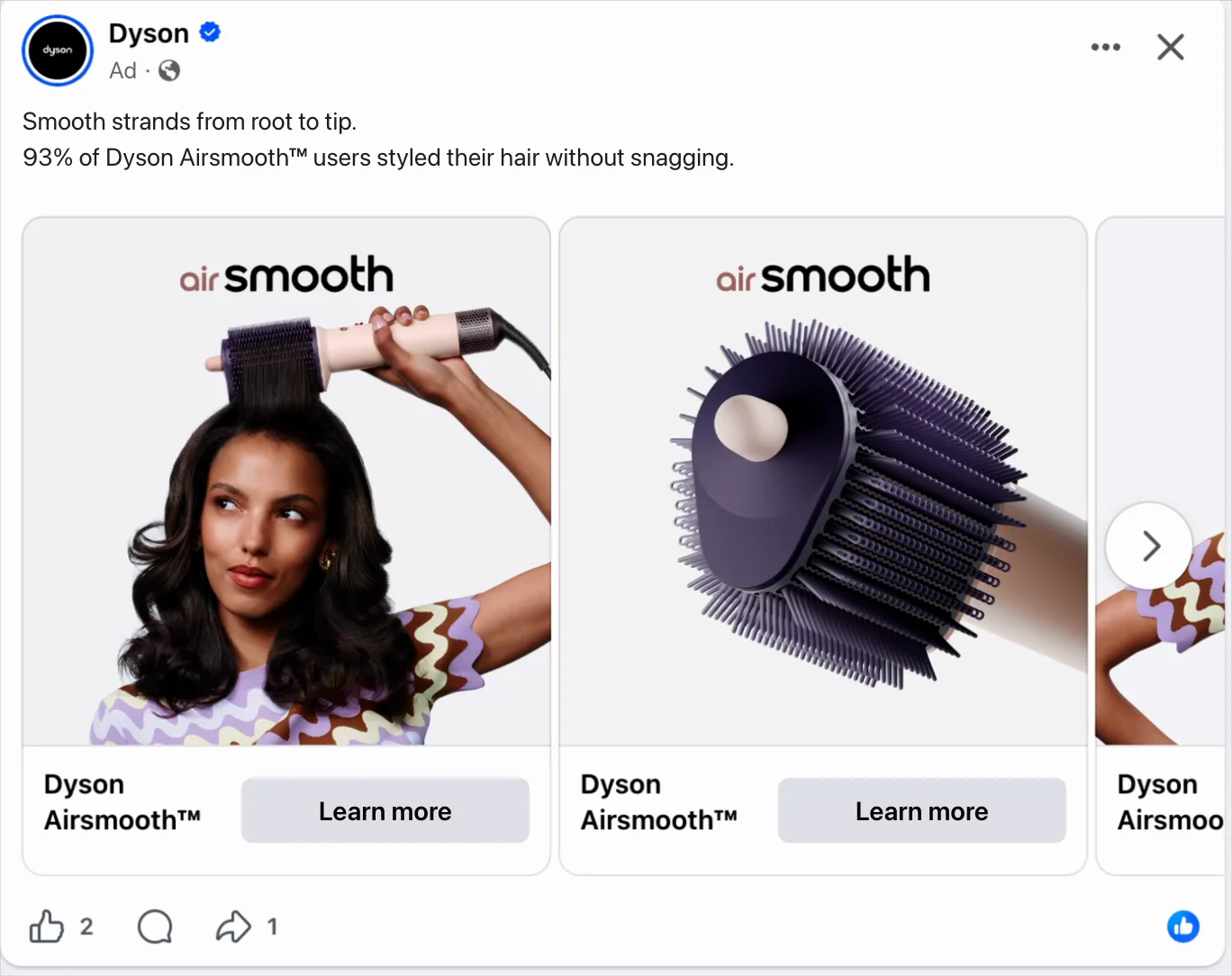
In a manual carousel you pick every card. In a catalog carousel Meta fills the cards with products from your catalog for each person, so two people can see different products in the same ad.
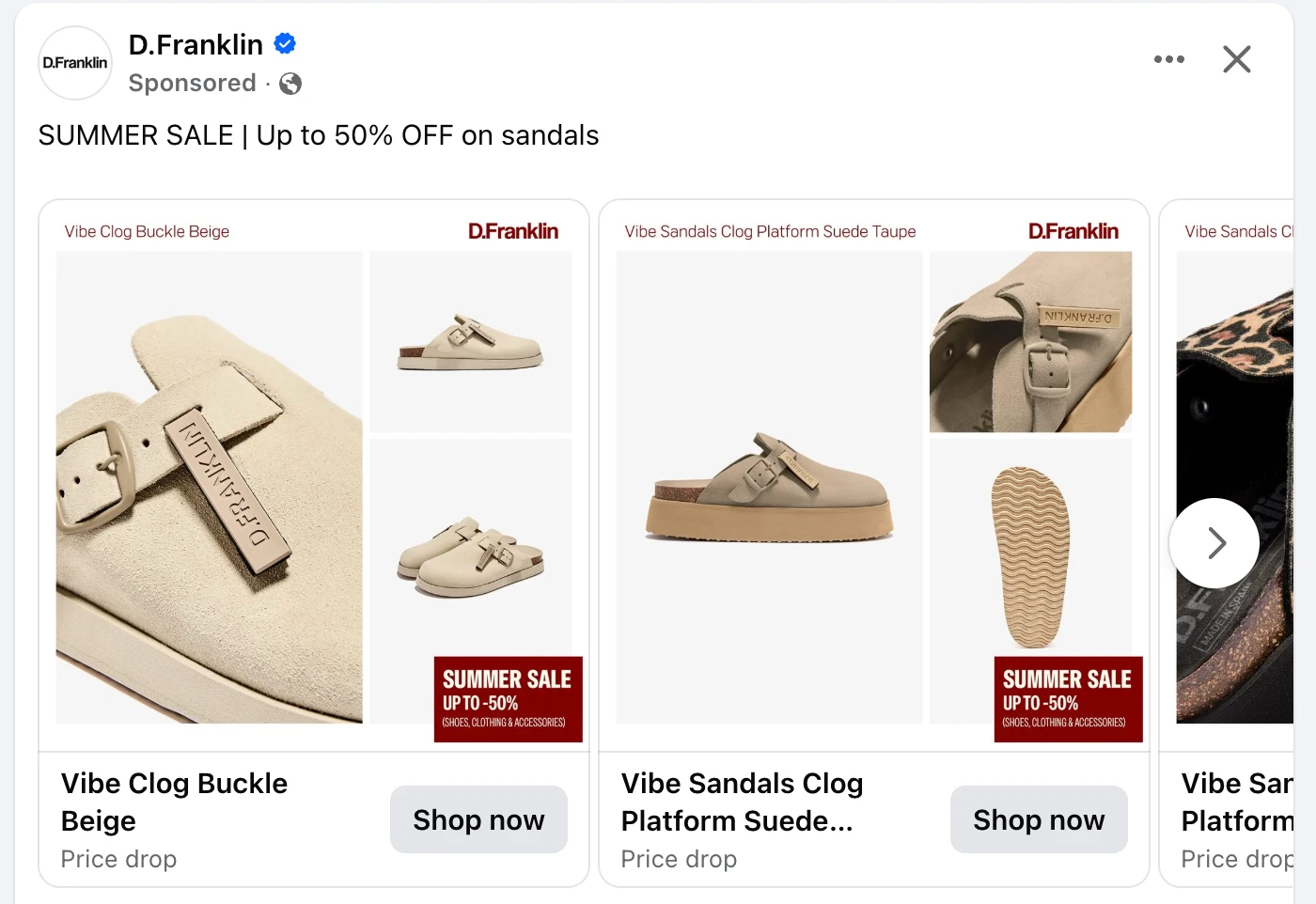
A catalog carousel doesn't have to show the plain packshot either. D.Franklin's ad runs every shoe through the same sale template, with a SUMMER SALE badge on each card and a "Price drop" line under the product name:
Instagram carousel ads
Instagram Feed has its own shape rule. Meta's ads guide allows 4:5 for carousels made only of images, while carousels that include video are limited to 1:1, with video cards from 1 second to 2 minutes.
For a catalog carousel on Instagram, that makes square the safe default. Use 4:5 only when every card is an image.
When to use a carousel
- Several products, when people like to compare before they click.
- One product from several angles, such as the product, a detail and the product in use.
- A short sequence, such as before and after or three steps, with automatic card ordering turned off.
- Retargeting, where a catalog carousel can show the product someone viewed next to similar ones.
Meta collection ads
A collection ad shows "a primary video or image with three smaller accompanying images below". When someone taps it, a full-screen Instant Experience opens, so people can browse more products before they leave the app.
The specs that matter:
- Cover: an image or video from 1.91:1 to 1:1, at least 1080 × 1080 pixels, with a headline of up to 40 characters.
- Products: the developer documentation asks for at least four elements, shown in rotation under the cover.
- Placements: Facebook Feed, Facebook Reels, Instagram Feed and Instagram Stories.
- Instant Experience: required.
The template names depend on where you look. Meta's business page lists Instant Storefront, Instant Lookbook and Instant Customer Acquisition, and recommends Storefront when you have a catalog of four or more products. The Instant Experiences developer guide names them Sell Products (with a lifestyle or grid layout, or without a catalog), Get New Customers, Showcase Your Business and AR Experience.
A catalog isn't required for every collection. It is required when the product tiles come from a product set, which is how catalog ads use the format.
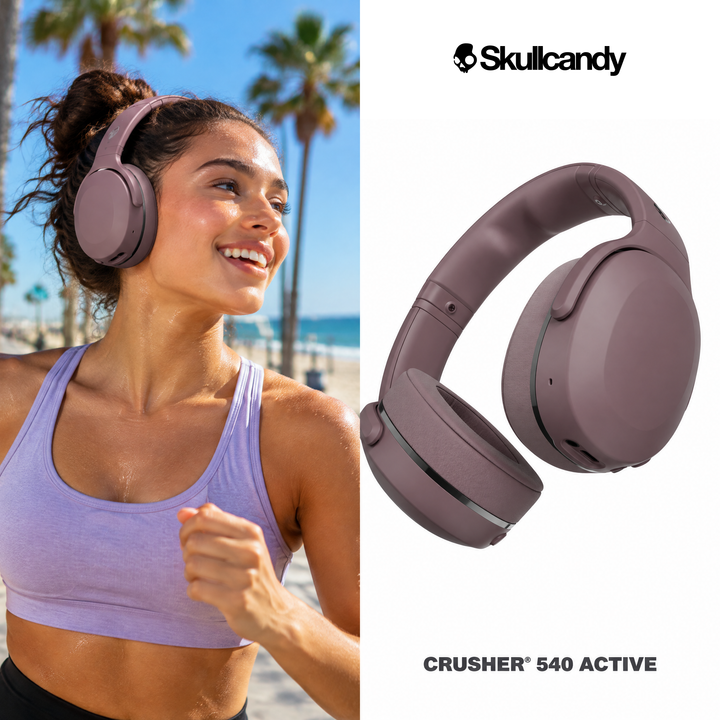
In a catalog collection the product tiles come from the product set, with their catalog images, so the cover is where the creative does its work. A lifestyle cover like this one sets the scene before the tiles show the range:
When to use a collection
- Browsing on mobile, when people want to look at a range before choosing one product.
- A lookbook, such as one outfit or room with the products in it.
- New audiences, who don't know the store yet and need to see more than one product.
- A cover that tells the story, with a lifestyle image or video doing the work the product tiles can't.
Single image catalog ads
The single image is the plainest format, and in catalog ads it can appear even when you built a carousel. Meta's format automation can deliver an eligible catalog carousel as a single product image or video, and that option is enabled by default.
The specs that matter:
- Facebook Feed: 4:5, 1440 × 1800 pixels, at least 600 pixels wide.
- Instagram Stories: 9:16, 1440 × 2560 pixels, at least 500 pixels wide. Meta recommends keeping about 14% at the top, 35% at the bottom and 6% at each side free of text and logos, so the profile icon and the call to action don't cover them.
A single image shows one product and nothing else, which makes the image itself carry the ad. A white-background packshot is most exposed here; a lifestyle creative like this one, a gift box opened at a New Year's party, gives people a reason to stop:

Carousel vs catalog ads: the question behind the search
When people search "carousel ads vs catalog ads", they usually mean a manual carousel vs a carousel filled from the catalog. Both look the same in the feed; the difference is who chooses what goes on the cards.
| Manual carousel | Catalog carousel | |
|---|---|---|
| Who picks the products | You, card by card | Meta, for each person, from your catalog |
| Prices and stock | Fixed until you edit the ad | Taken from the catalog |
| How many products it can promote | The cards you build, up to 10 | The whole catalog or a product set |
| Retargeting | Not product-specific | Can show the products a person viewed |
| Creative control | Full control over each card | The images in your catalog, plus any creative you add |
| Best for | A launch, a story, a hand-picked set | Large catalogs, always-on sales campaigns |
A manual carousel suits a message you want to control card by card. A catalog carousel suits a store with more products than anyone could hand-pick, where the cards should follow what each person is likely to buy.
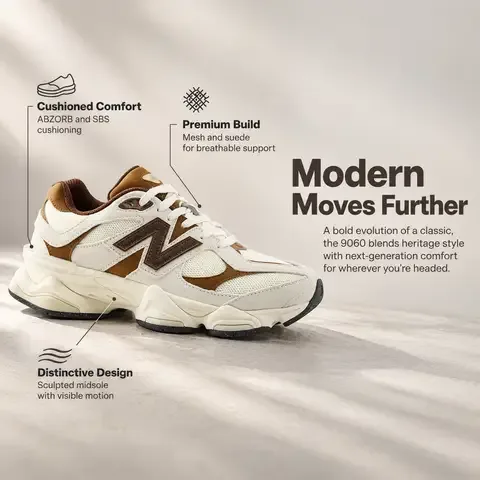
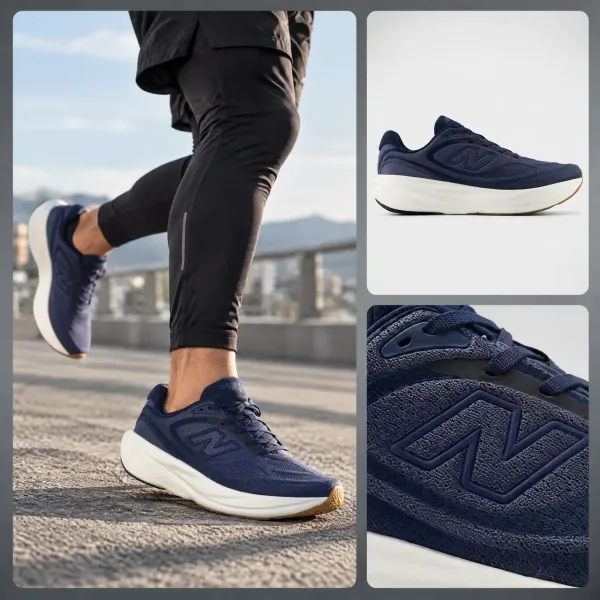
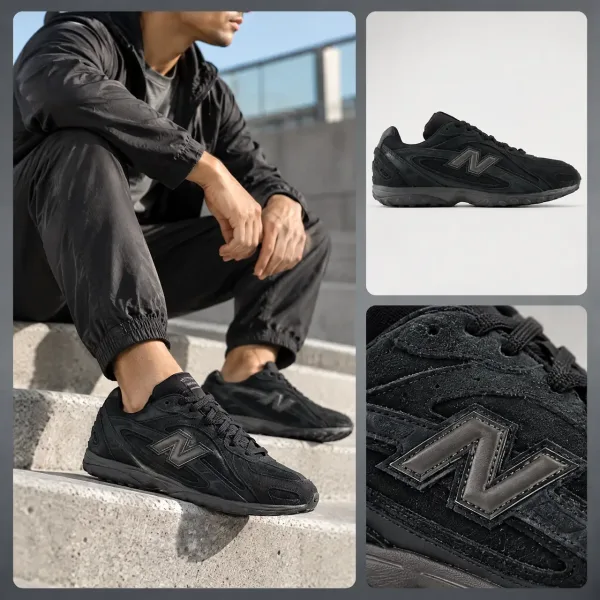
Here is the same New Balance feed both ways, from the OptiQube carousel ads examples. A product carousel sells one shoe, the 9060, card by card: a key benefit, the product in use, a close-up and the features called out.



A catalog carousel from the same feed shows a different product on every card, each with its own creative:

How Meta picks the format for you
In a catalog ad you often don't choose the format alone. When you use format automation in Advantage+ creative for catalog, Meta picks a format for each ad impression, between carousel and collection.
Format automation can also turn a catalog carousel into a collection, and single product media, which is on by default, can deliver it as one product image or video. On top of that, catalog ads show product videos from your catalog by default where the placement supports them. More on what Advantage+ creative does to your catalog ads.
Format automation is a setting you choose, and single product media can be switched off for an ad. The trade-off is control: the more formats you allow, the less you know which version a given person saw.
Which format when: a decision table
| Your goal | Format | Why |
|---|---|---|
| Show people the product they already viewed | Catalog single image or carousel | The product comes back with its current price, plus similar ones |
| Introduce the store to new audiences on mobile | Collection with a lifestyle cover | People browse a range without leaving the app |
| Show one product from several angles | Manual carousel | You control every card and the order |
| Run a seasonal sale across the catalog | Catalog single image or carousel with badge creatives | The offer is on the image, and the products follow the catalog |
| Tell a short story in steps | Manual carousel, card order fixed | Automatic ordering would break the sequence |
| Promote the whole catalog without choosing | Catalog ad, formats left to Meta | Meta picks products and format per impression |
These are starting points, not results. Compare formats on the same products and budget in your own account, and judge them by cost per purchase over the same period.
The creative still decides
Whatever the format, a catalog ad shows the image your catalog gives it. Unless you change it, that is the product photo from the feed, which for most stores is a packshot on a white background.
Meta's frames and overlays add a border or the price on top of that photo. The bigger change is a different image per product: a scene, a callout or a badge, like the examples in this article from the OptiQube ad library.
OptiQube, our product, generates a creative like these for every product in a feed and sends the approved ones to Meta as a paused campaign draft.
Frequently asked questions
What is the difference between carousel and collection ads?
A carousel shows 2 to 10 cards that people swipe through, each with its own image or video, headline and link. A collection shows one main image or video with three smaller product images below it, and opens a full-screen Instant Experience when tapped. Carousels send people to your site; collections let them browse first.
Are catalog ads the same as carousel ads?
No. Catalog ads are ads whose products come from your product catalog, chosen by Meta for each person. A carousel is a layout. A catalog ad can appear as a carousel, but also as a collection or a single image, and Meta can pick the layout for each impression.
How many cards can a carousel ad have?
Between 2 and 10. Each card has its own image or video and its own link. In a catalog carousel, Meta fills the cards with products from your catalog, so the number of cards and the products on them can change from person to person.
What size should carousel ad images be: 1:1 or 4:5?
Meta recommends 1:1 at 1080 × 1080 pixels or more for Facebook Feed carousels. On Instagram Feed, carousels made only of images can use 4:5, while carousels that include video are limited to 1:1. Square works across placements, so it is the safe choice for a catalog.
Do collection ads need a product catalog?
Not always. A collection that shows products from a product set needs a catalog, and Meta recommends its Storefront template when you have a catalog of four or more products. Without a catalog, you can still build a collection from your own images with a template that doesn't use one.
Do collection ads work on desktop?
Collection ads are built for mobile. Meta describes the format as a fast-loading mobile experience, and its developer documentation lists Facebook Feed, Facebook Reels, Instagram Feed and Instagram Stories as placements. If desktop matters to you, run a carousel or single image ad alongside it.
Can you use video in carousel and collection ads?
Yes. Carousel cards can be videos, from 1 second to 2 minutes on Instagram Feed, but a carousel with video is limited to 1:1. A collection can open with a video as its main media. Catalog ads also show product videos from your catalog by default where the placement supports them.
What is an Instant Experience?
An Instant Experience is the full-screen page that opens when someone taps a collection ad. Meta describes it as a post-click destination that loads nearly instantly from the feed. It can show products, a lookbook or your brand story without sending people out of the app first.
Pick the format, then the creative
The format decides how many products people see at once. The creative decides whether they stop to look.
Browse 250+ catalog ad examples in the ad library, or start for free and generate creatives from your own product feed.