AI-Generated Ads for Ecommerce: What They Do Well and What to Watch For
 Nikolett Lorincz11 min read

AI can now turn one plain product photo into a dozen finished ads in the time it takes to write a brief. For an online store with hundreds of products, that sounds like the end of the creative bottleneck.
Whether it delivers depends on the tool. A general-purpose image generator might redraw your product or add a feature it doesn't have, and how often that happens varies a lot from one tool to the next. Avoiding it takes work: the right starting photo, careful prompts and a check of every image.
This guide shows what AI-generated ads do well for ecommerce, where they can go wrong and what prevents it, how Meta labels them, and a checklist for reviewing them before they run.
The short answer: AI-generated ads are good at volume and variety: new scenes, backgrounds, sizes and seasonal versions of the same product, made in minutes. How accurate the product, the text and the brand look are depends on the tool: tools built for ecommerce start from your real product photos and product data, while general-purpose generators need much more checking. Either way, keep a person in charge of approving them.
What AI-generated ads are (and aren't)
An AI-generated ad is an ad whose image, text or both were created by a generative model, usually from your product photo and a short description of the look you want. For a store, that typically means the product placed in a scene, with or without a headline, feature callouts or an offer.
It isn't the same as creative automation in general. Many tools apply one fixed layout to every product without generating anything; our guide to ad creative automation explains the four types. This article covers the generative kind, for static images and catalog ads on Meta. AI video and avatar ads are a different category with their own strengths and problems.
AI product photos vs AI ad creative
The two are often searched together, but they do different jobs.
An AI product photo tool changes the photo: it removes the background, adds a new one or places the product in a scene. The result is a better product image, which you can use on your site, in your feed or as the base of an ad.
AI ad creative goes a step further. Besides the scene, it adds the parts that make an image an ad: a headline, callouts for the features that matter, a badge, an offer, the right format for the placement. A product photo answers "what does it look like?"; an ad creative also answers "why should I care, and why now?"
If your catalog ads only need better pictures, a product photo tool can be enough. If you want the image itself to carry a message, you need ad creative.
How widely AI ad creative is used on Meta
AI-generated ad creative is no longer an experiment. Meta added its first generative AI features for ads, Background Generation, Image Expansion and Text Variations, to Ads Manager in October 2023. By the third quarter of 2026, Meta said on its earnings call that nearly 10 million advertisers used at least one of its generative AI ad creative tools.
In the same 2023 announcement, Meta also said there was still work to do on outputs customized to each brand's voice and visual style. That is where tools differ most today: some leave it to your prompts, others build it in.
What AI does well
All the examples in this section are AI-generated creatives from our ad library, made from each store's own product photos.
A scene instead of a white background
The most useful thing AI does for a catalog is replace the feed photo. Most catalog ads show each product on a plain background, the same image a shopper already saw on the product page. A generated scene shows the product in use: a bag at the airport, a sofa in a living room, a mug in someone's hand.
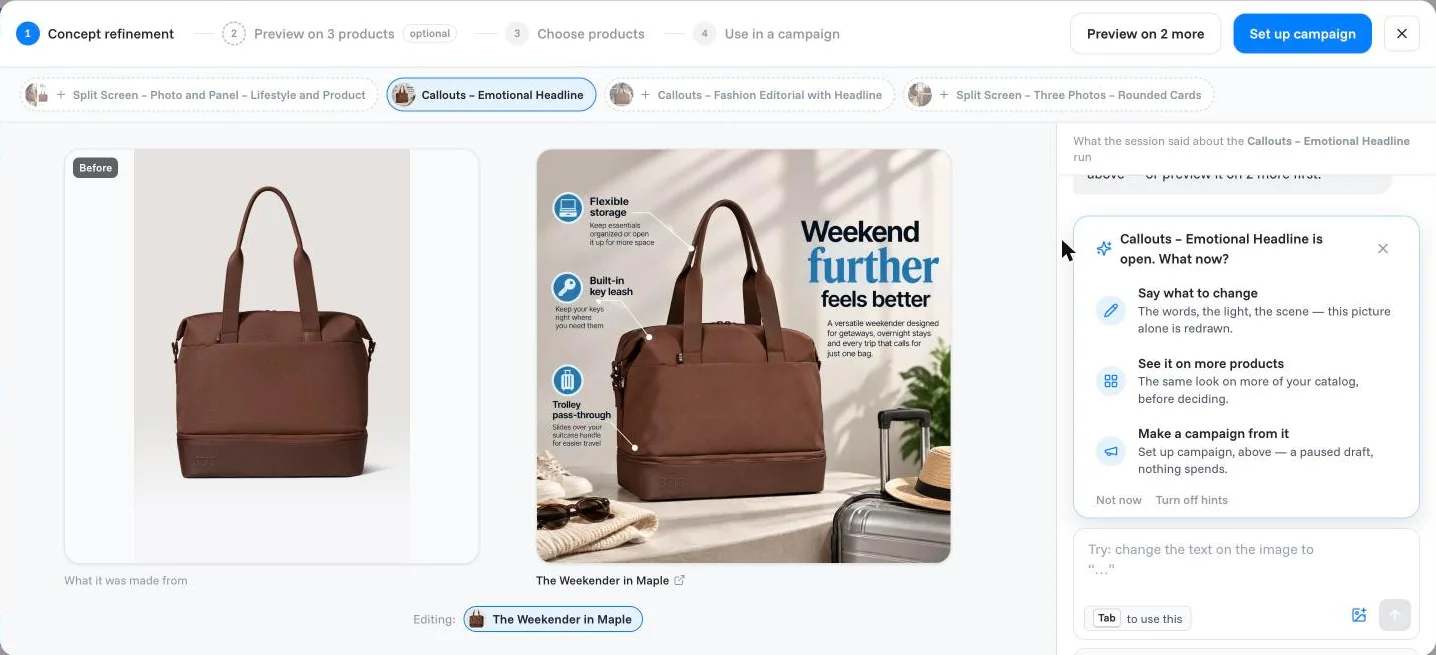
The same idea works for any product. Below, a modular sofa and a stoneware mug, each first in a plain setting and then in a scene.




Variety without a new photoshoot
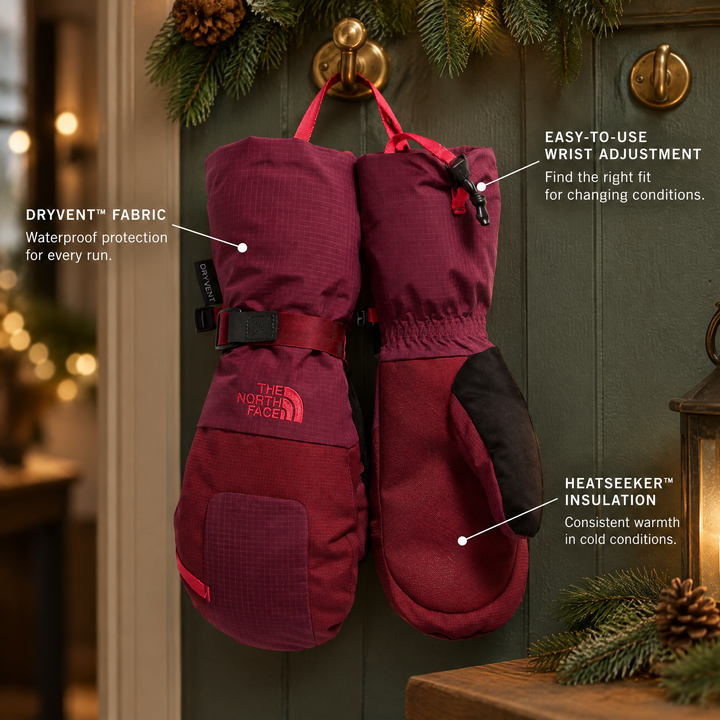
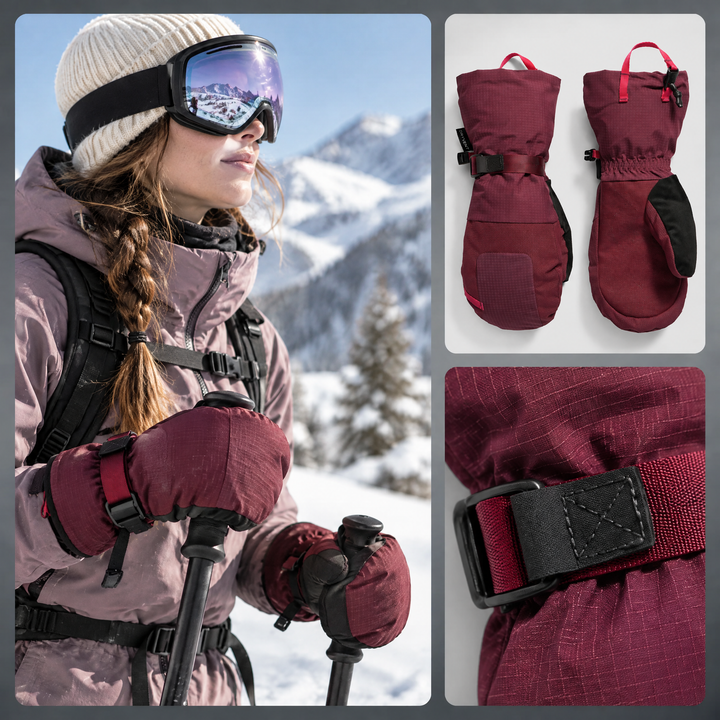
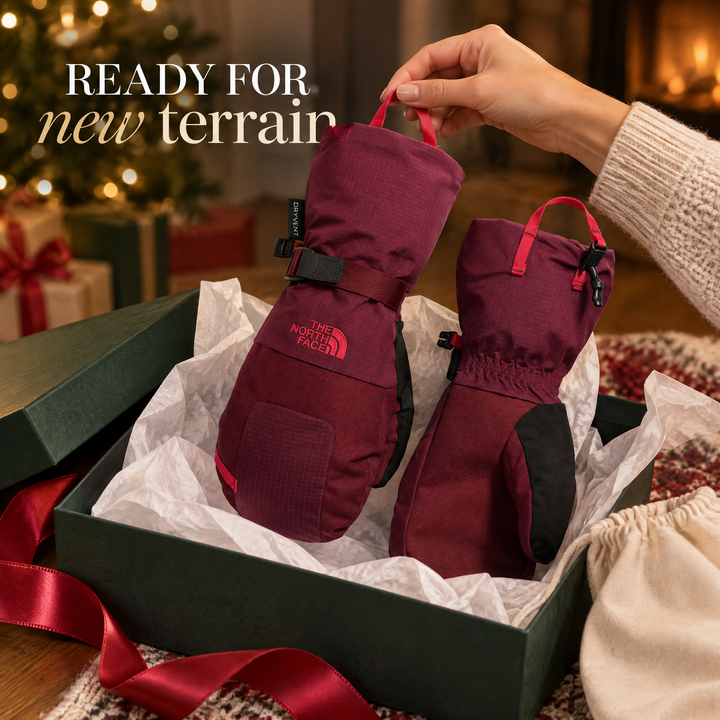
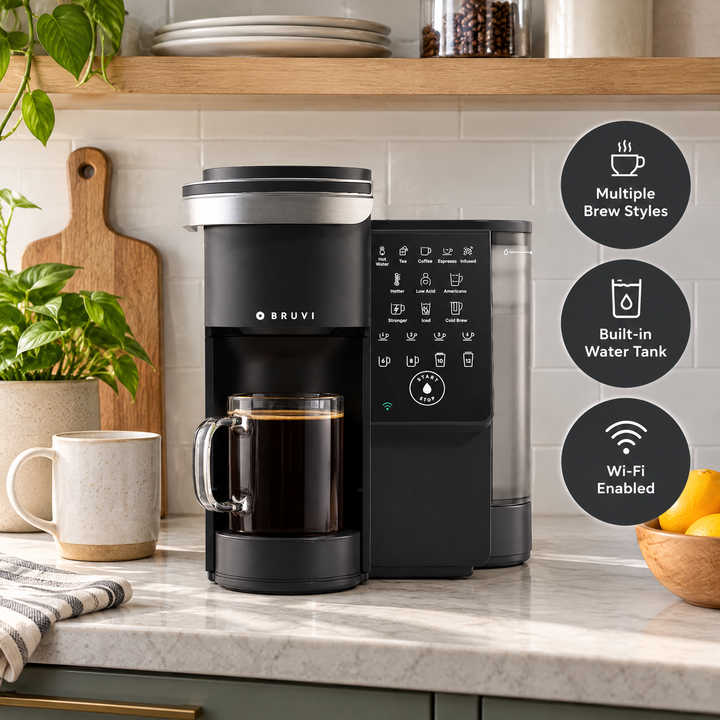
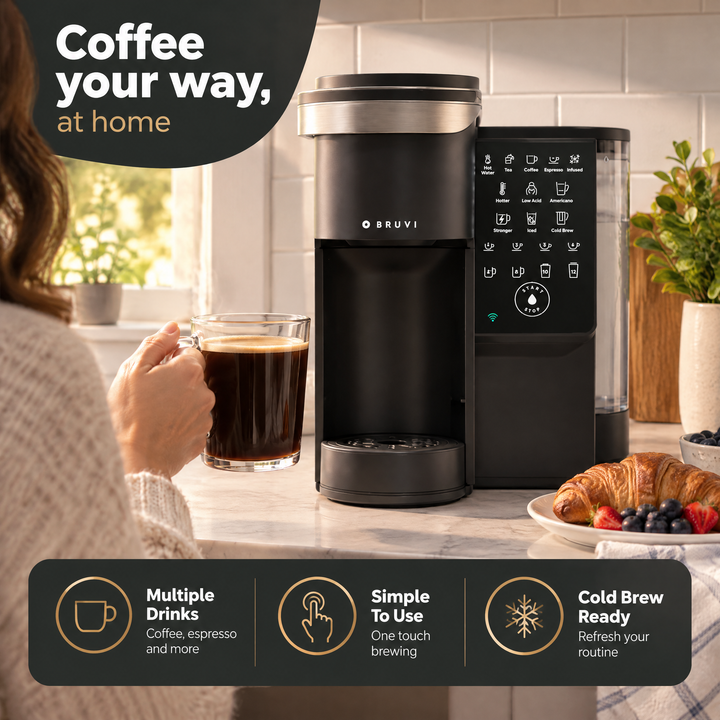
One product can get several creatives that look nothing alike: a lifestyle scene, a version with a bold headline, a layout with feature callouts, a gift scene. That variety matters on Meta, where ads wear out when people see the same image too often; our guide to creative fatigue explains why the new version has to be materially different, not a new border.
Here is one pair of ski mittens in four directions:

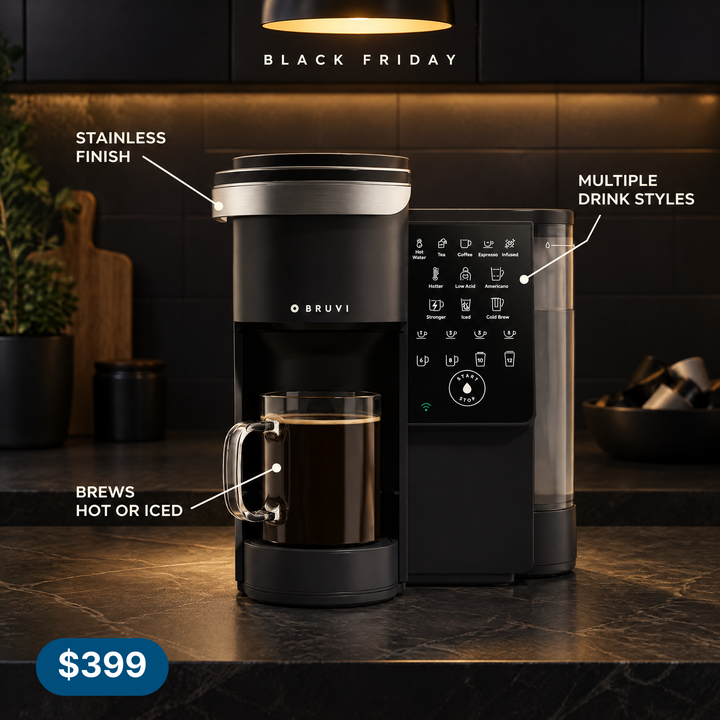
And one coffee brewer in three:
Callouts built from real product details
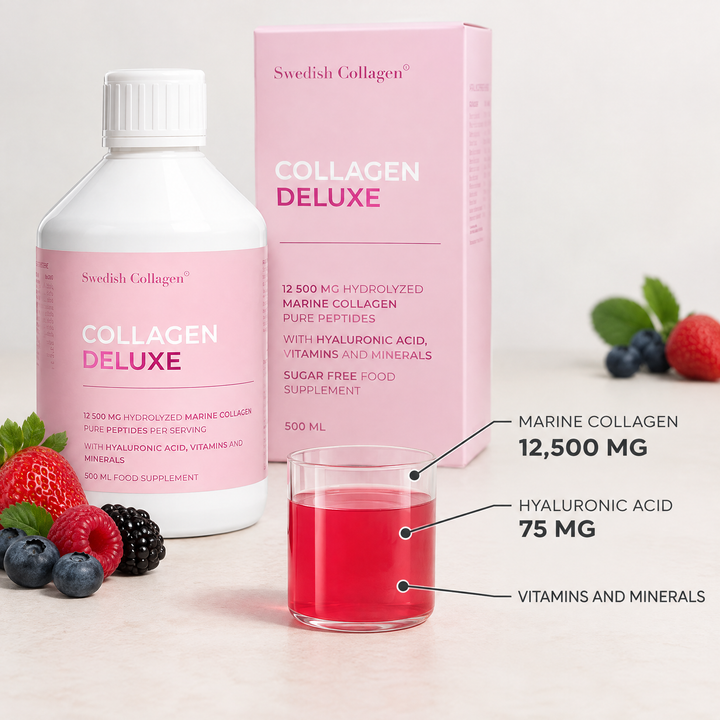
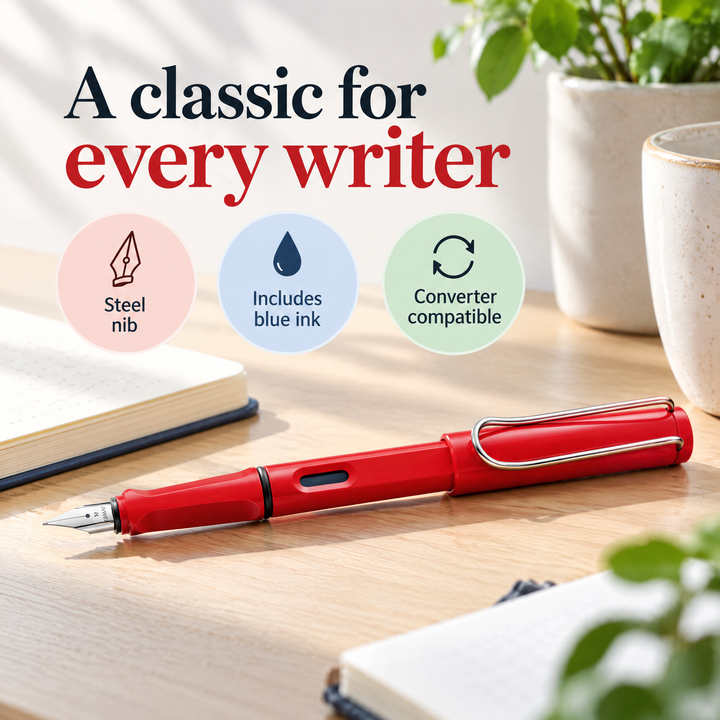
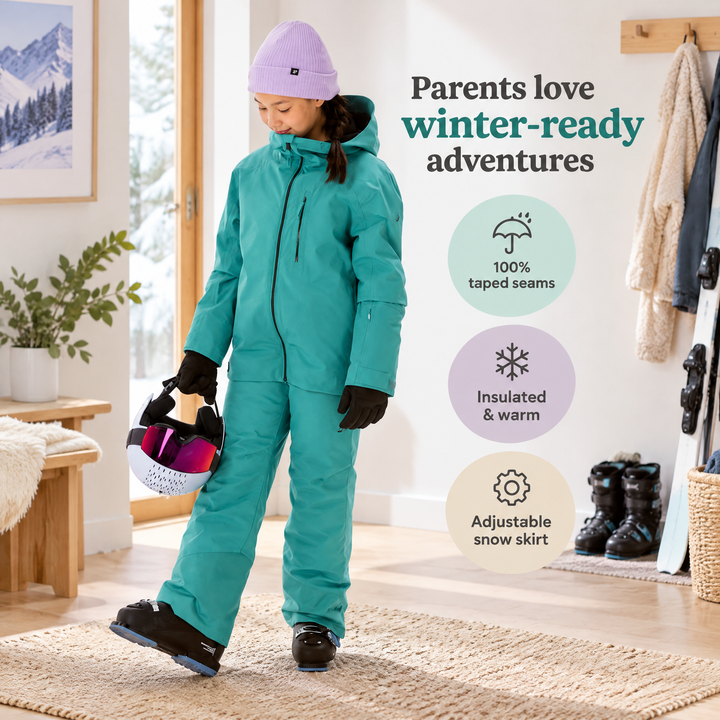
Feature callouts are where accuracy matters most, and where the starting data makes the difference. When the tool works from the product page instead of a prompt, the callouts can carry the details a shopper compares: the 12,500 mg of marine collagen in a supplement's name, a fountain pen's nib and ink, a ski jacket's seams and insulation, a book's edition and size.

Seasonal and offer versions
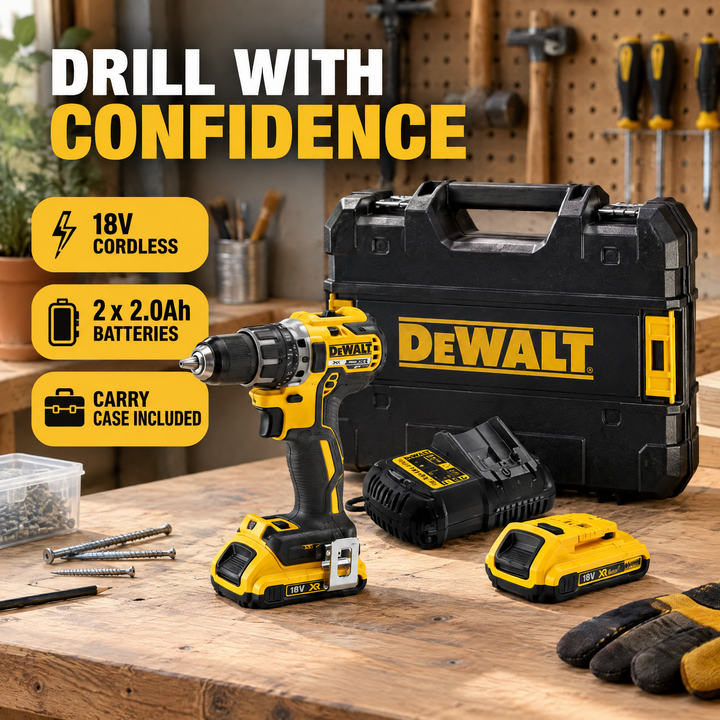
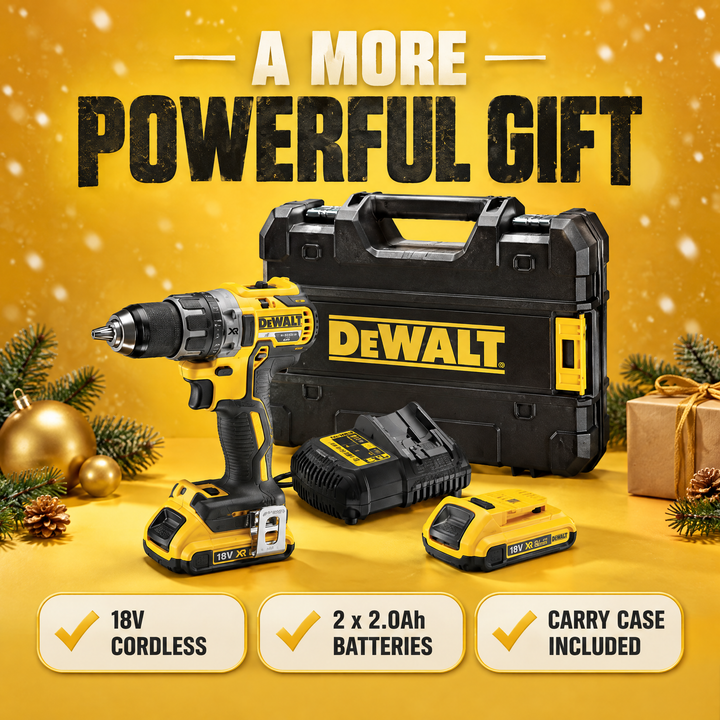
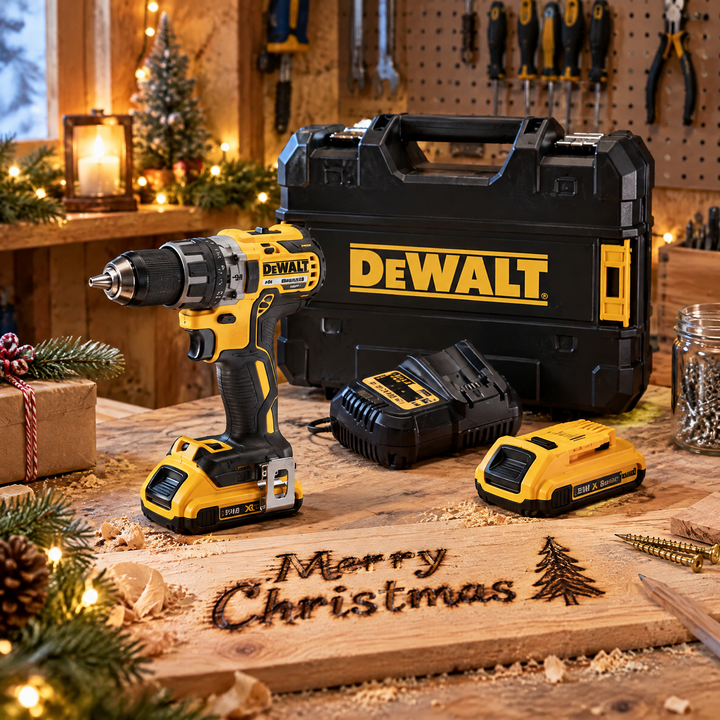
A holiday version of the same product used to mean a new shoot or a design round. With AI it is one more variation: the same cordless drill as an everyday ad, as a gift and in a festive workshop.
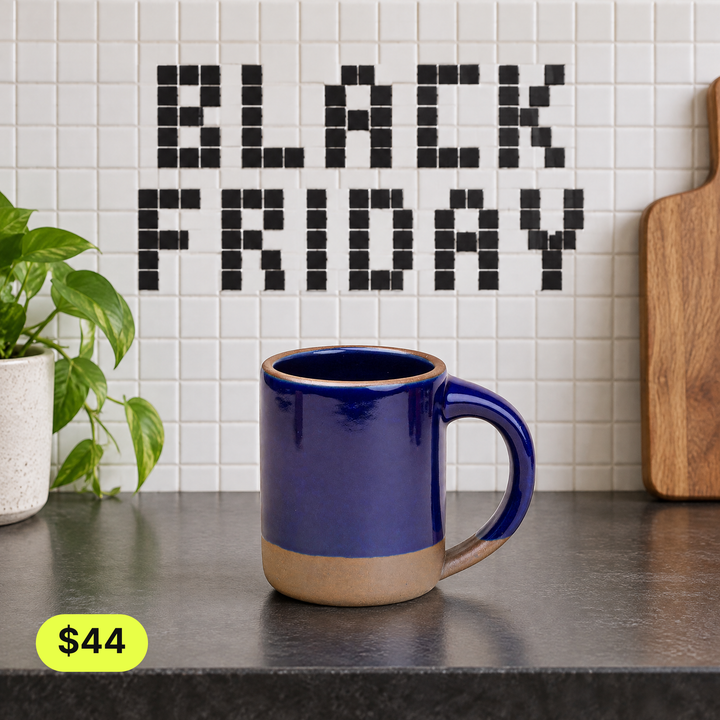
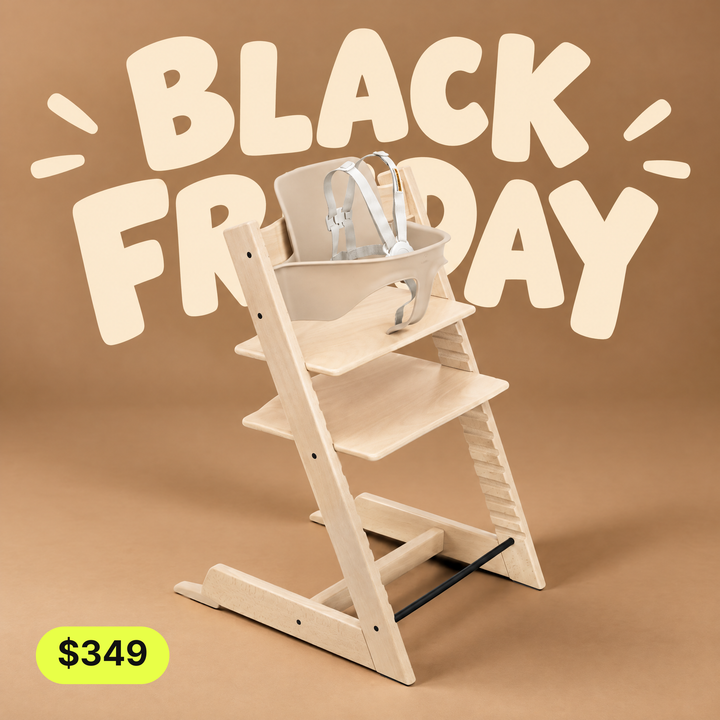
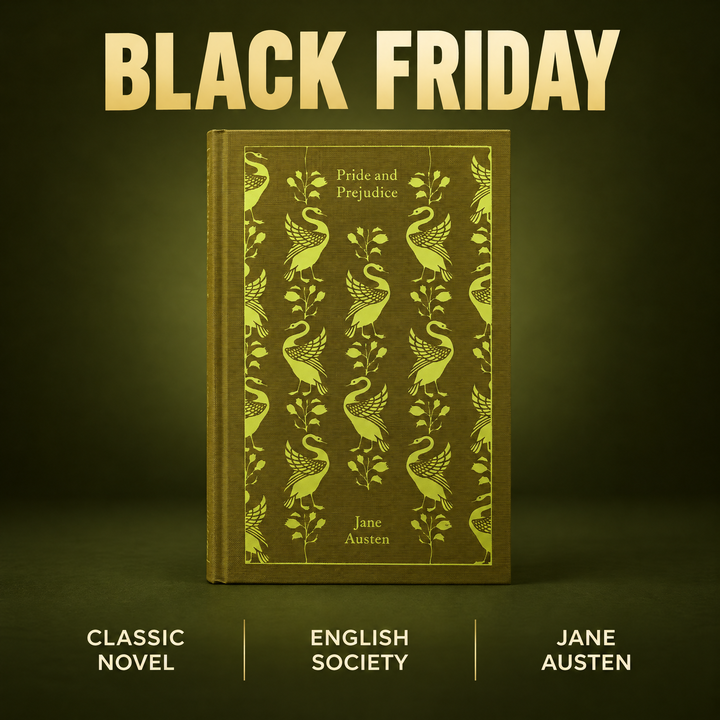
Sale versions work the same way. In these Black Friday creatives the price on the badge comes from each store's product feed, not from the AI, so it matches the product page.

Sizes and formats
Feed, Stories and Reels favor different shapes. AI can extend or recompose an image for each placement instead of cropping the product out of the frame, which is what Meta's own Image Expansion feature was built for.
Speed
In our own test in November 2026, OptiQube, our product, went from a new account to four finished ad directions for a store's product in about five minutes, and the four images themselves took about two and a half minutes. Applying the chosen style to two more products took about a minute and a half. That speed is what makes regular refreshes realistic for a large catalog.
Where AI-generated ads go wrong, and how to prevent it
These mistakes are most common when a general-purpose image generator works from a photo and a short prompt. Tools built for ecommerce ads are designed to avoid them, but knowing them tells you what to check, whichever tool you use.
It redraws the product
A model that generates the whole image can change the product itself: a different shape, a slightly wrong color, a logo that is almost right, text on the packaging that turns into nonsense. On a feed photo nobody notices; in an ad, it is a product you don't sell.
We tried it. We gave a general-purpose AI image tool the product photo of a liquid blush on the left and a one-line prompt asking for an ad in a bathroom scene. The result on the right looks like a finished ad at first glance. Look closer: the description on the box now reads "bluch" and "bullds", the box and the blush came out a darker, more mauve shade than the real one, the headline promises a flush "that lasts all day" where the box only says long-lasting, and a "Shop now" button appeared that nobody asked for.

How to prevent it: use a tool that keeps your real product photo as the base and builds the scene around it, rather than redrawing the product. Compare every creative with the original photo, and read the packaging text letter by letter.
It invents product details
Generated copy fills gaps with plausible-sounding facts: a processor, a camera resolution, a material, a "dermatologist tested" line. If the detail wasn't in the information the tool had, the model made it up.
We tried this too. We gave a general-purpose AI image tool only the product photo of a smartwatch and asked for an ad with feature callouts. It wrote "multi-day battery life", "advanced health tracking" with heart rate and sleep, and an "all-day activity tracker" with calories. None of it came from product data, because the tool had none; whether each claim is true for this watch is something you would have to check by hand. It also pointed the battery callout at the strap, added a Facebook logo and a "Shop now" button, and printed a web address, www.smartwatch.com, that isn't the store's.
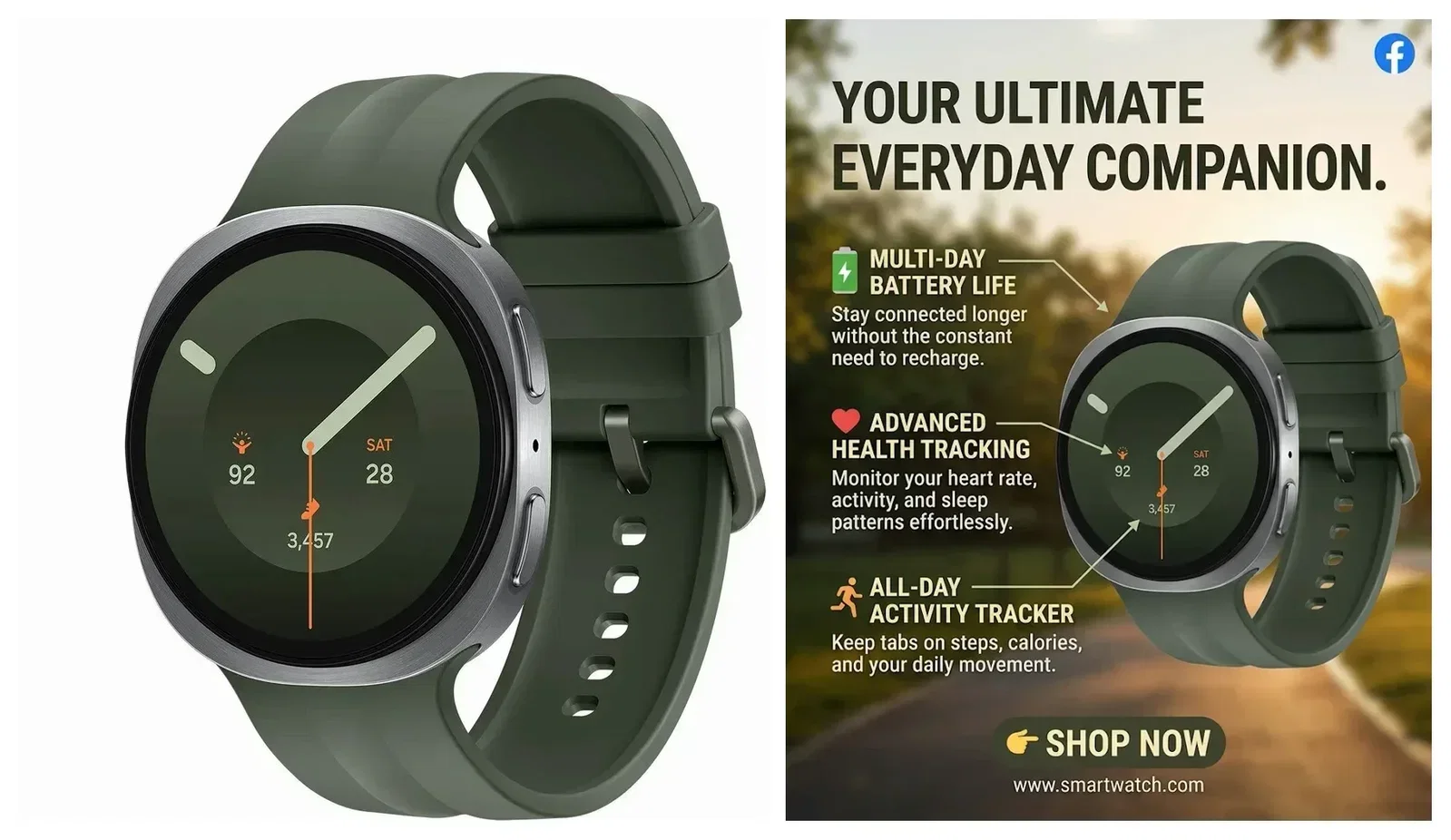
How to prevent it: give the tool your product data, not just a photo, and check every spec and claim on the image against it.
It adds text nobody asked for
Buttons that aren't clickable, "New" labels on an old product, a legal line, or a second language in the small print. None of it was in the brief, and it makes an ad look careless.
How to prevent it: set the ad's language and the text you want, and read every word on the image, including the small print.
The props contradict the claims
The product can be perfect and the scene can still undo the message: a "gluten free" callout next to a bundle of wheat, or "no added sugar" next to a bowl of sugar. Each prop makes sense on its own; together with the claims, they say the opposite.
How to prevent it: look at the scene as a shopper would and ask whether anything in it argues with the text.
It writes prices and offers
Ask a general-purpose tool for a sale ad and it will happily print a price, a discount or "now only", whether or not that is your offer.
How to prevent it: take prices from your product feed instead of typing or generating them, and decide the offer wording yourself.
Generic looks and brand voice
AI output tends to look polished and similar. If every ad in a feed uses the same lighting, the same kind of headline and the same layout, they blur together, and a brand's own voice, the phrases it would and wouldn't use, gets lost.
How to prevent it: set your brand's colors, fonts and tone once instead of describing them in every prompt, and test more than one creative direction.
Trust
The one thing not to generate is proof. Invented customers, reviews or before-and-after results look like evidence and aren't. Use AI for scenes and layouts, and keep testimonials real.
General-purpose AI tools vs tools built for ecommerce ads
Both can make a good product ad. The difference is how much of the careful work is left to you.
| General-purpose image generator | Tool built for ecommerce ads | |
|---|---|---|
| Starting point | A prompt, sometimes with an uploaded photo | Your product photos and product data from the store or catalog |
| The product itself | May be redrawn; you compare it with the original | Usually kept from your real photo |
| Specs and claims | Written by the model unless you supply them | Taken from your product data |
| Prices and offers | Typed by you or made up by the model | Taken from your feed |
| Brand look | Described again in every prompt | Set once and reused |
| Scale | One image at a time | The whole catalog |
| Getting it into Meta | Download, resize and upload by hand | Approve, then send to Meta |
Either way, a person approves what runs. The checklist below works for both.
Labels, policies and trust
Meta labels AI-generated ad images. According to its Help Center, ad images created or significantly edited with Meta's generative AI features, or created or edited with third-party AI tools, get an "AI info" label. It appears in the ad's three-dot menu and sometimes next to the Sponsored label. Minor edits such as resizing or color correction don't get the label.
For a store, the label is not a penalty; it is context for the viewer. It is one more reason to keep generated images honest: a scene around a real product is fine, a product that doesn't exist is not. Ads about social issues, elections or politics have stricter disclosure rules of their own.
How to review AI creatives before they run
Whichever tool you use, every generated creative needs one look from a person before it goes live. A short checklist covers the mistakes above:
- The product. Shape, color, logo and any text on the product match the original photo.
- Every word on the image. Headlines, callouts, buttons and small print, in the right language.
- Prices and claims. Each number and claim matches your product data; nothing implies a sale or a feature you don't have.
- The props and the scene. Nothing in the background contradicts the claims or looks out of place for the product.
- The brand. Colors, fonts and tone fit your brand; the creative doesn't look like everyone else's.
- The format. The product isn't cropped in the placements you use.
Build the check into the workflow rather than doing it afterward. In OptiQube, the creatives you approve go to Meta as a paused campaign draft, so nothing runs until you have looked at it. The step-by-step workflow is in our ad creative automation guide.
What results to expect
Better images can move real numbers, but expect a test, not a miracle. In the Delifarm case study, the agency Clickbrains replaced the store's white-background product photos in its catalog ads with generated creatives and ran them side by side.
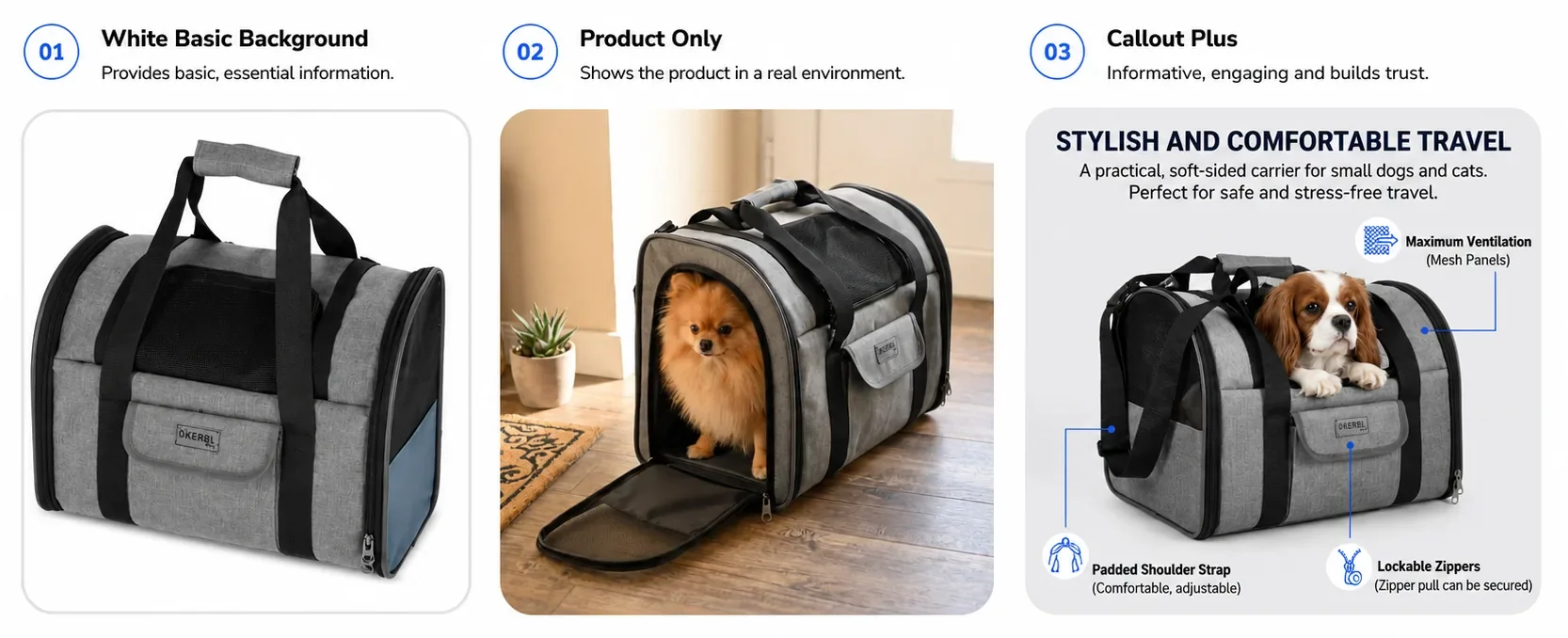
Over 11 days, at $5 a day per ad set, the Callout Plus style brought 42% more purchases than the white-background ads at a 29% lower cost per purchase, and Product Only reached a 34× ROAS. One store and one test, not a benchmark. Run your own: our guide to Meta ad creative covers how to test new creative against what you run today. To compare the tools themselves, see our list of the best AI ad generators.
Frequently asked questions
Do AI-generated ads work for ecommerce?
They can, for the jobs they suit: giving each product a scene instead of a plain feed photo, making seasonal and offer versions, and producing enough variety to test and refresh. They work best with a tool that starts from your real product photos and product data, and with a person who approves every creative. They don't replace the offer, the product or the test plan.
What is AI ad creative good at?
Volume and variety. AI can place a product in a scene, change the background, make seasonal and sale versions, and adapt an image to other sizes in minutes. That makes it cheaper to test new creative and to replace ads before they wear out.
What can go wrong with AI-generated ads?
A general-purpose image generator working from a short prompt can redraw the product, invent specs that aren't in your product data, add text in the wrong language, or place props that contradict the claims on the image. Tools built for ecommerce ads avoid most of this by starting from your real product photos and product data, but every creative still needs a human check before it runs.
Can I make product ads with a general-purpose AI image tool?
For a few images, yes: upload a product photo and describe the scene you want. Expect to write careful prompts, compare the product and every word with the original, add prices yourself and resize each image for every placement. For a catalog of hundreds of products, a tool built for ecommerce ads does that work for every product at once.
Will AI-generated ads look fake or generic?
They can if every ad uses the same look. Set a clear style for your brand, use more than one creative direction, and reject outputs that feel interchangeable. Real product photos as the starting point keep the product itself accurate.
Do I have to disclose AI-generated ads on Facebook and Instagram?
Meta labels ad images created or significantly edited with its own generative AI features, or with third-party AI tools, with "AI info". The label appears in the ad's menu and sometimes next to Sponsored. Ads about social issues, elections or politics have stricter disclosure rules of their own.
Is AI ad creative cheaper than a designer or a photoshoot?
Per image, usually yes: a generated creative takes minutes rather than a shoot or a design round. The real cost is the prompting, the review time and the outputs you throw away, and that depends heavily on the tool. A practical split is AI for volume and designers for brand decisions and hero campaigns.
How do I check AI-generated creatives before they go live?
Compare each one with the product photo, read every word on the image, check prices and claims against your product data, look at the props and background for anything that contradicts the claims, and make sure the language and the brand look are right.
Choose a tool that does the careful work for you
AI-generated ads are worth using for what they are good at: scenes, variety, seasonal versions and speed. How much checking they need depends on the tool. With a general-purpose generator, the accuracy work is yours: the starting photo, the prompts, the prices and a close look at every image.
OptiQube, our product, is built to do that work for you: it starts from your real product photos, takes prices from your feed instead of writing them, follows your brand profile, and sends only the creatives you approve to Meta, as a paused campaign draft.
Browse the ad library for real AI-generated catalog ad creatives by industry, style and season, or start for free and generate creatives for your own feed.